


Download Imagine Learning – Interactive Alphabet Learning App for Kids
Overview
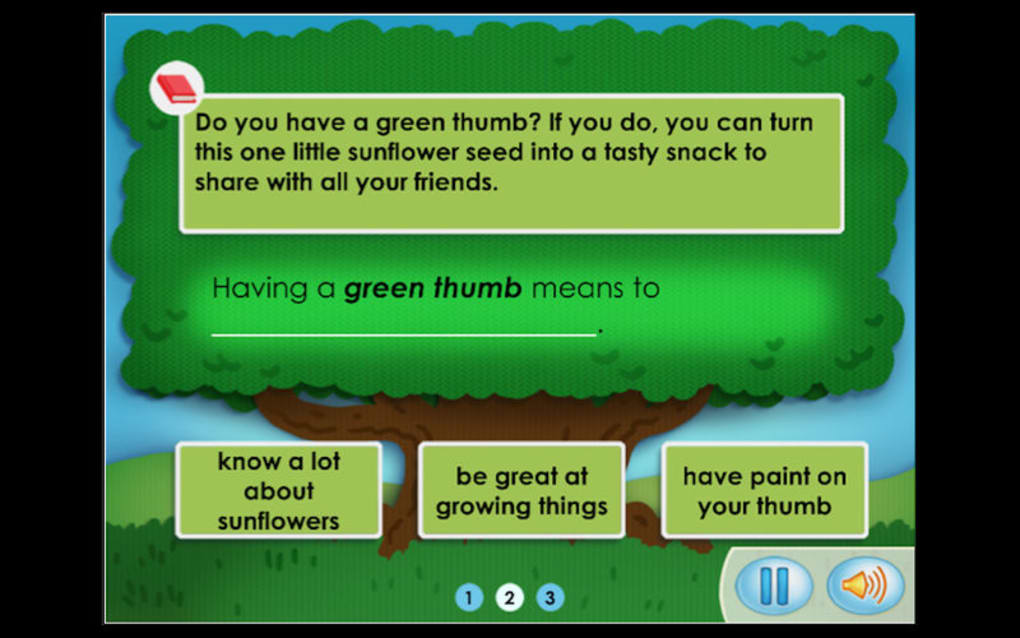
Imagine Learning is a free, kid‑friendly app designed to turn the daunting task of learning to write the English alphabet into an engaging, interactive experience. Targeted at early learners, the app offers a series of step‑by‑step exercises that guide children through the formation of each letter, from “A” to “Z”. While the primary audience is young students, the platform also hides a teachers‑only area that can be unlocked with a separate login.
This hidden portal provides educators with progress dashboards, custom lesson plans, and the ability to assign targeted practice sets. Although the app can be launched without adult supervision, it truly shines when a parent, teacher, or caregiver is present to reinforce correct stroke order and provide real‑time feedback. The free download is a strong entry point, but it’s important to note that the full suite of cloud‑based services—such as syncing progress across devices and accessing premium content—requires a paid server subscription.
The developers have been criticized for not making this requirement more transparent during the onboarding process, which can lead to confusion for users who expect an entirely free experience. Nevertheless, Imagine Learning remains a secure, regularly updated tool that supports both Windows and macOS tablets, as well as Android and iOS devices, making it a versatile choice for families and schools alike.
Key Features
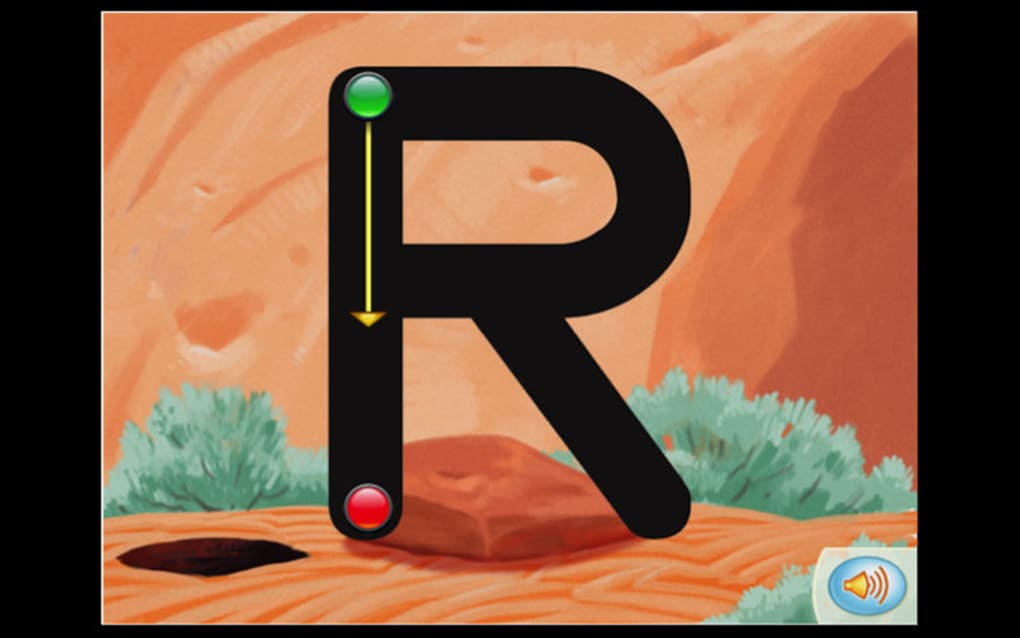
- Interactive tracing for each uppercase and lowercase letter.
- Audio cues that pronounce the letter and provide phonetic guidance.
- Progress tracking that records stroke accuracy, speed, and consistency.
- Customizable difficulty levels to adapt to a child’s growing skill set.
- Teachers‑only dashboard with class management tools, printable reports, and assignment scheduling.
- Cloud sync across devices, ensuring that a child’s practice history follows them from a tablet to a smartphone.
- Secure login and parental controls that limit in‑app purchases and data sharing.
- Regular content updates that add new letters, cursive options, and multilingual support.
- Gamified rewards system that unlocks stickers and badges for consistent practice.
- Offline mode for basic tracing exercises when an internet connection is unavailable.
Installation & Usage Instructions
Step‑by‑Step Installation
1. Visit the official Imagine Learning website or your device’s app store (Google Play, Apple App Store, Microsoft Store).
2. Click the “Download Free” button; the app size is roughly 120 MB, so a stable Wi‑Fi connection is recommended.
3.
Follow the on‑screen prompts to grant the necessary permissions (camera for tracing feedback, storage for saving progress, and microphone for audio cues).
4. Once installed, launch the app and create a child profile. You will be asked to enter a nickname, age range, and preferred language.
5.
A short tutorial will walk you through the main interface, highlighting the “Start Tracing” button, the “Practice Library,” and the “Settings” gear icon.
First‑Time Use
After completing the onboarding tutorial, the child can select a letter from the alphabet carousel. Each letter presents a three‑stage process: a visual demonstration, a guided tracing overlay, and a free‑hand attempt. The app uses a combination of pressure‑sensitive input (where supported) and visual feedback to indicate whether strokes are correct.
Parents can tap the “Review” button after each session to see a summary of accuracy percentages, time spent, and suggested next steps. If you have a teacher account, you can also upload the session data to the cloud for later analysis. For families without a paid subscription, the app still offers the core tracing experience but will display a gentle reminder after ten sessions that premium features—such as cloud sync and detailed analytics—are available with a subscription.
Compatibility, Pros & Cons
Supported Operating Systems
Imagine Learning is built to run on the most common platforms used by children and educators today. It supports:
- Windows 10 and later (tablet mode recommended for touch input).
- macOS 11 (Big Sur) and later.
- Android 8.0 (Oreo) and newer, optimized for tablets and large‑screen phones.
- iOS 13 and newer, with full compatibility on iPad and iPhone devices.
Pros
- Engaging, age‑appropriate design that keeps children motivated.
- Robust set of features for both home learning and classroom environments.
- Free core functionality eliminates entry barriers for families on a budget.
- Regular updates improve stability, add new letters, and expand language options.
- Secure data handling and parental controls protect children’s privacy.
Cons
- Paid server‑service required for full cloud sync and teacher dashboard can be confusing if not clearly disclosed.
- Some older Android devices may experience lag during the tracing overlay.
- Limited offline content; premium lessons are inaccessible without an internet connection.
- The teachers‑only area lacks an in‑app explanation, which may frustrate educators unfamiliar with the login process.
- No support for right‑to‑left scripts, limiting usefulness for non‑Latin alphabets.
Overall Rating: 4 out of 5 stars
Imagine Learning delivers a solid foundation for alphabet writing practice, especially for early learners who thrive on visual and auditory cues. The free version is generous, but the subscription model should be communicated more transparently to avoid surprise fees.
Frequently Asked Questions (FAQ)
Is Imagine Learning truly free?
The base app can be downloaded and used at no cost, providing essential tracing exercises for all letters. However, advanced features such as cloud sync, detailed progress reports, and the teacher dashboard require a paid subscription.
Can I use the app without an internet connection?
Yes. The core tracing activities are available offline. Premium content and syncing capabilities need an active internet connection.
What devices are supported?
Imagine Learning runs on Windows 10+, macOS 11+, Android 8.0+, and iOS 13+. Touch‑screen devices provide the best experience, but a mouse or stylus works on desktops.
How does the teacher dashboard work?
Educators can create an account, add student profiles, assign specific letters or practice sets, and view detailed analytics on each child’s performance. The dashboard is only accessible after a separate login and a subscription.
Is my child’s data safe?
Yes. Imagine Learning complies with GDPR and COPPA standards. All data is encrypted in transit and stored on secure servers. Parents can control data sharing through the app’s privacy settings.
Conclusion & Call to Action
Imagine Learning strikes a balance between fun and educational rigor, making it a valuable addition to any child’s early literacy toolkit. Its intuitive design, engaging audio‑visual feedback, and optional teacher features provide flexibility for both home schooling and classroom use. While the requirement for a paid server‑service could be clearer, the free core experience remains robust enough to justify a download. If you’re looking for a secure, regularly updated app that encourages kids to practice letter formation on their own or with guided supervision, Imagine Learning is worth trying. Download the app today, explore the free exercises, and consider the premium subscription if you need advanced tracking for your classroom or family.







